

Alerts
An alert is a pop-up window showing a short message with optional buttons. When an alert is activated, it will abort any SDL operation that is in-progress, except the already-in-progress alert. If an alert is issued while another alert is still in progress, the newest alert will simply be ignored.
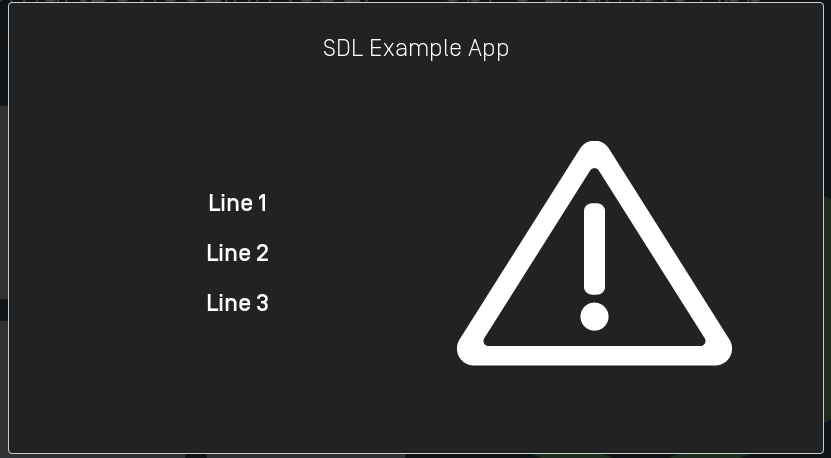
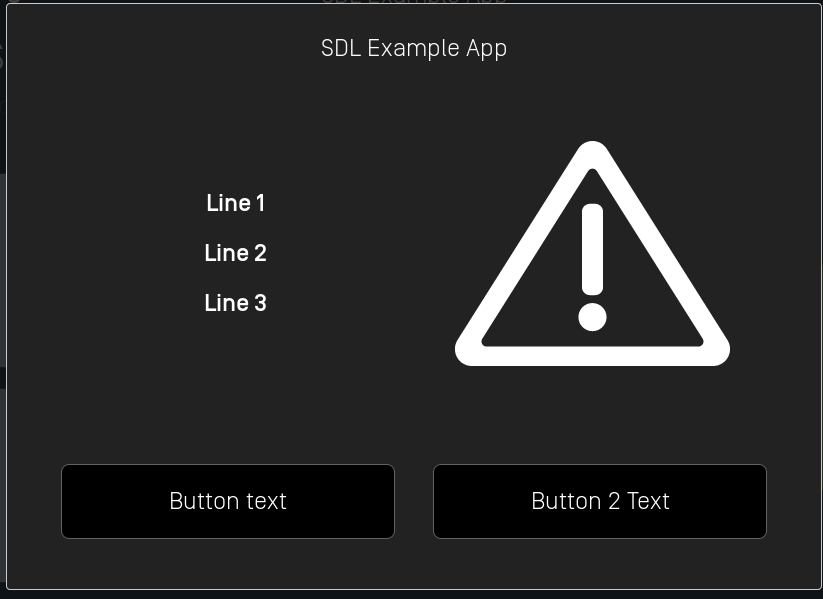
Depending the platform, an alert can have up to three lines of text, a progress indicator (e.g. a spinning wheel or hourglass), and up to four soft buttons.
Alert Layouts
Alert With No Soft Buttons

Note
If no soft buttons are added to an alert some OEMs may add a default "cancel" or "close" button.
Alert With Soft Buttons
Creating the Alert
Text
Objective-C
SDLAlert *alert = [[SDLAlert alloc] initWithAlertText:<#NSString#> softButtons:<#[SDLSoftButton]#> playTone:<#BOOL#> ttsChunks:<#[SDLTTSChunk]#> alertIcon:<#SDLImage#> cancelID:<#UInt32#>];
Swift
let alert = SDLAlert(alertText: <#String?#>, softButtons: <#[SDLSoftButton]?#>, playTone: <#Bool#>, ttsChunks: <#[SDLTTSChunk]?#>, alertIcon: <#SDLImage?#>, cancelID: <#UInt32#>)
Buttons
Objective-C
SDLSoftButton *button1 = [[SDLSoftButton alloc] initWithType:SDLSoftButtonTypeText text:@"<#Button Text#>" image:nil highlighted:false buttonId:<#Soft Button Id#> systemAction:SDLSystemActionDefaultAction handler:^(SDLOnButtonPress *_Nullable buttonPress, SDLOnButtonEvent *_Nullable buttonEvent) {
    if (buttonPress == nil) {
        return;
    }
    <#Button has been pressed#>
}];

SDLSoftButton *button2 = [[SDLSoftButton alloc] initWithType:SDLSoftButtonTypeText text:<#Button Text#> image:nil highlighted:false buttonId:<#Soft Button Id#> systemAction:SDLSystemActionDefaultAction handler:^(SDLOnButtonPress *_Nullable buttonPress, SDLOnButtonEvent *_Nullable buttonEvent) {
    if (buttonPress == nil) {
        return;
    }
    <#Button has been pressed#>
}];

alert.softButtons = @[button1, button2];
Swift
let button1 = SDLSoftButton(type: .text, text: <#Button Text#>, image: nil, highlighted: false, buttonId: <#Soft Button Id#>, systemAction: .defaultAction, handler: { buttonPress, buttonEvent in
    guard buttonPress != nil else { return }
    <#Button has been pressed#>
})

let button2 = SDLSoftButton(type: .text, text: <#Button Text#>, image: nil, highlighted: false, buttonId: <#Soft Button Id#>, systemAction: .defaultAction, handler: { buttonPress, buttonEvent in
    guard buttonPress != nil else { return }
    <#Button has been pressed#>
})

alert.softButtons = [button1, button2]
Alert Icon
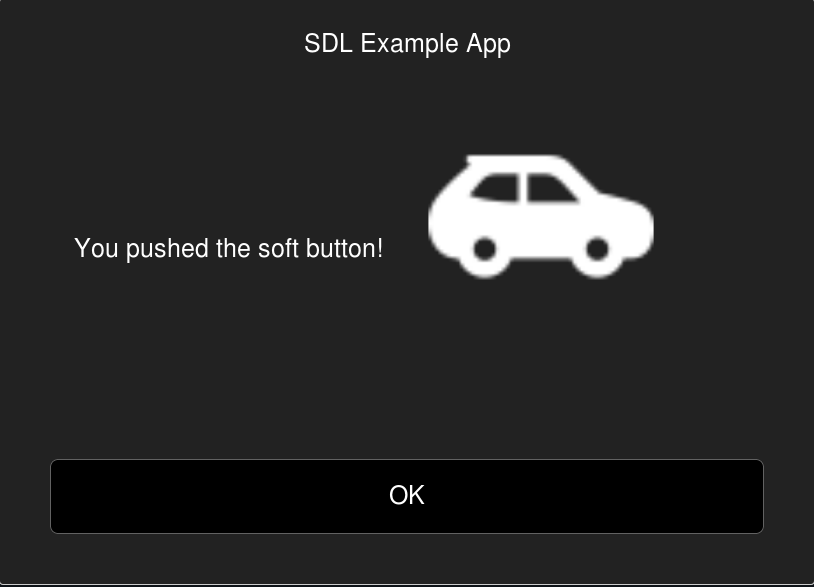
An alert can include a custom or static (built-in) image that will be displayed within the alert. Before you add the image to the alert make sure the image is uploaded to the head unit using the SDLFileManager. If the image is already uploaded, you can set the alertIcon property.
Objective-C
alert.alertIcon = [[SDLImage alloc] initWithName:<#artworkName#> isTemplate:YES];
Swift
alert.alertIcon = SDLImage(name: <#artworkName#>, isTemplate: true)
Timeouts
An optional timeout can be added that will dismiss the alert when the duration is over. Typical timeouts are between 3 and 10 seconds. If omitted a default of 5 seconds is used.
Objective-C
// Duration timeout is in milliseconds
alert.duration = @(4000);
Swift
// Duration timeout is in milliseconds
alert.duration = 4000 as NSNumber
Progress Indicator
Not all OEMs support a progress indicator. If supported, the alert will show an animation that indicates that the user must wait (e.g. a spinning wheel or hourglass, etc). If omitted, no progress indicator will be shown.
Objective-C
alert.progressIndicator = @YES;
Swift
alert.progressIndicator = true as NSNumber
Text-To-Speech
An alert can also speak a prompt or play a sound file when the alert appears on the screen. This is done by setting the ttsChunks parameter.
Text
Objective-C
alert.ttsChunks = [SDLTTSChunk textChunksFromString:@"<#Text to speak#>"];
Swift
alert.ttsChunks = SDLTTSChunk.textChunks(from: "<#Text to speak#>")
Sound File
The ttsChunks parameter can also take a file to play/speak. For more information on how to upload the file please refer to the Playing Audio Indications guide.
Objective-C
alert.ttsChunks = [SDLTTSChunk fileChunksWithName:@"<#Name#>"];
Swift
alert.ttsChunks = SDLTTSChunk.fileChunks(withName: "<#Name#>")
Play Tone
To play the alert tone when the alert appears and before the text-to-speech is spoken, set playTone to true.
Objective-C
alert.playTone = @YES;
Swift
alert.playTone = true as NSNumber
Showing the Alert
Objective-C
[self.sdlManager sendRequest:alert withResponseHandler:^(SDLRPCRequest *request, SDLRPCResponse *response, NSError *error) {
    if (!response.success.boolValue) {
        // Print out the error if there is one and return early
        return;
    }
    <#Alert was shown successfully#>
}];
Swift
sdlManager.send(request: alert) { (request, response, error) in
    guard response?.success.boolValue == true else { return }
    <#Alert was shown successfully#>
}
Dismissing the Alert (RPC v6.0+)
You can dismiss a displayed alert before the timeout has elapsed. This feature is useful if you want to show users a loading screen while performing a task, such as searching for a list for nearby coffee shops. As soon as you have the search results, you can cancel the alert and show the results.
Note
If connected to older head units that do not support this feature, the cancel request will be ignored, and the alert will persist on the screen until the timeout has elapsed or the user dismisses the alert by selecting a button.
Please note that canceling the alert will only dismiss the displayed alert. If you have set the ttsChunk property, the speech will play in its entirety even when the displayed alert has been dismissed. If you know you will cancel an alert, consider setting a short ttsChunk like "searching" instead of "searching for coffee shops, please wait."
There are two ways to dismiss an alert. The first way is to dismiss a specific alert using a unique cancelID assigned to the alert. The second way is to dismiss whichever alert is currently on-screen.
Dismissing a Specific Alert
Objective-C
// `cancelID` is the ID that you assigned when creating and sending the alert
SDLCancelInteraction *cancelInteraction = [[SDLCancelInteraction alloc] initWithAlertCancelID:cancelID];
[self.sdlManager sendRequest:cancelInteraction withResponseHandler:^(__kindof SDLRPCRequest * _Nullable request, __kindof SDLRPCResponse * _Nullable response, NSError * _Nullable error) {
    if (!response.success.boolValue) {
        // Print out the error if there is one and return early
        return;
    }
    <#The alert was canceled successfully#>
}];
Swift
// `cancelID` is the ID that you assigned when creating and sending the alert
let cancelInteraction = SDLCancelInteraction(alertCancelID: cancelID)
sdlManager.send(request: cancelInteraction) { (request, response, error) in
    guard response?.success.boolValue == true else { return }
    <#The alert was canceled successfully#>
}
Dismissing the Current Alert
Objective-C
SDLCancelInteraction *cancelInteraction = [SDLCancelInteraction alert];
[self.sdlManager sendRequest:cancelInteraction withResponseHandler:^(__kindof SDLRPCRequest * _Nullable request, __kindof SDLRPCResponse * _Nullable response, NSError * _Nullable error) {
    if (!response.success.boolValue) {
        // Print out the error if there is one and return early
        return;
    }
    <#The alert was canceled successfully#>
}];
Swift
let cancelInteraction = SDLCancelInteraction.alert()
sdlManager.send(request: cancelInteraction) { (request, response, error) in
    guard response?.success.boolValue == true else { return }
    <#The alert was canceled successfully#>
}